


About This App
-
Category
Art & Design
-
Installs
5M+
-
Content Rating
Rated for 3+
-
Developer Email
Drawapp.feedback@hotmail.com
Screenshots
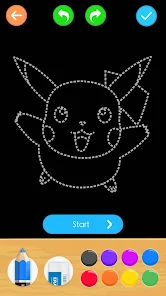
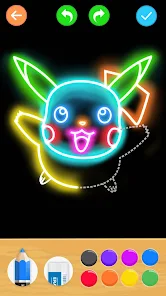
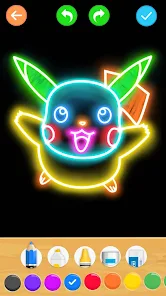
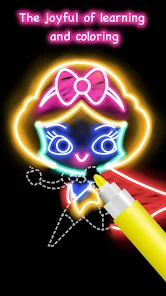
Editor Reviews
??✨ Ever dreamed of bringing your own cartoon characters to life but felt held back by a lack of artistic skills? ?✏️ That was me, until I discovered 'Learn to Draw Cartoon' by Creative APPS. ? This app is a fantastic digital mentor, designed to transform absolute beginners into confident cartoonists through structured, step-by-step guidance. ??? Its core function is a vast, categorized library of drawing tutorials. You can learn everything from sketching adorable animals and expressive human faces to creating dynamic superheroes and whimsical fantasy creatures. ???♂️? Each lesson breaks down complex illustrations into simple, manageable lines and shapes, making the art of cartooning accessible and genuinely fun. ??I chose this software over other similar drawing apps for several compelling reasons. ? First, its sheer focus on cartooning is a major plus. While many apps offer general drawing tools or hyper-realistic art courses, 'Learn to Draw Cartoon' zeroes in on the specific style, proportions, and exaggerations that make cartoons so charming and recognizable. ?❤️ Second, the progression system feels natural and rewarding. It starts with fundamental shapes and gradually introduces more detail and personality, which perfectly built my confidence. ?? Unlike some apps that overwhelm you with advanced techniques too soon, this one ensures you master the basics first. Third, the interface is incredibly clean, intuitive, and ad-free in its core tutorial flow, which minimizes distractions and lets you focus purely on learning. ?♂️?️My personal journey with the app has been delightful. ?? I started with the 'Beginner' section, practicing simple fruits and smiley faces. Using just my finger on a smartphone screen, I followed the numbered blue guide lines. The app allows you to draw directly on the same layer as the guide or on a transparent overlay, which I found super helpful for tracing and understanding form. ?️?➡️?️ After getting comfortable, I moved to characters. The 'Eyes' and 'Facial Expressions' tutorials were game-changers for me—learning how a slight curve can change a look from joy to mischief is magical! ✨?? I spent about 20-30 minutes daily, and within two weeks, I was proudly creating original cartoon avatars for my social media profiles. The 'Free Draw' mode, with its basic set of brushes, colors, and an undo button, became my playground for applying what I learned. ??If you've ever wanted to doodle with purpose, tell stories through simple drawings, or just find a relaxing, creative outlet, 'Learn to Draw Cartoon' is the perfect starting point. It demystifies drawing and proves that anyone can create something delightful. ?️? Don't just wish you could draw—start your artistic adventure today! ?? Download 'Learn to Draw Cartoon' now and unlock your inner animator! ??
Features
- ? Step-by-Step Guided Tutorials: The app's heart is its extensive collection of guided lessons. Each tutorial decomposes a cartoon into a sequence of numbered, blue guide lines. You simply follow the steps in order, tracing or drawing alongside them, which makes the process foolproof and educational.
- ? Vast Categorized Library: Content is beautifully organized into categories like 'Animals', 'People', 'Fantasy', 'Holiday', and 'Objects'. Whether you want to draw a cartoon dog, a pirate, a dragon, or a Christmas tree, you can find a dedicated tutorial quickly and easily.
- ? Structured Skill Progression: The curriculum is thoughtfully arranged from 'Beginner' to more advanced topics. It ensures you build a solid foundation by mastering basic shapes and lines before tackling complex figures and expressions, leading to a smooth learning curve.
- ?️ Integrated Drawing Tools: A functional 'Free Draw' studio is built right in. It features a selection of brushes (pencil, marker), an adjustable color palette, an eraser, and an undo/redo function, allowing you to practice freely or create original artwork after learning the techniques.
- ? User-Friendly Customization: You can adjust the brush size and opacity for different line weights and effects. The canvas is zoomable and pannable, giving you precise control even when drawing fine details on a smaller screen.
- ? Practice-Oriented Design: Each tutorial can be repeated infinitely. The app encourages muscle memory and mastery by letting you restart a drawing as many times as you like, without any pressure or limitation.
- ? Achievement & Collection System: To keep motivation high, the app includes a gallery where your completed drawings are saved. Watching your personal collection grow provides a tangible sense of accomplishment and progress.
- ? Offline Accessibility: Once downloaded, the vast majority of tutorials are available without an internet connection. This makes it a perfect creative companion for travel, commutes, or any time you're away from Wi-Fi.
- ?️ Focus on Fundamentals: Specialized sections are dedicated to cartooning essentials, such as drawing expressive eyes, various mouth shapes, and different hairstyles. This targeted approach helps you understand the key components that bring characters to life.
- ? Encourages Creativity: Beyond copying tutorials, the tools and skills taught actively encourage you to mix, match, and modify elements to design your own unique cartoon characters and scenes.
Pros
- ✅ Ideal for Absolute Beginners: The app assumes no prior knowledge. Its 'start with a circle' approach is incredibly welcoming and effective, making the art of cartooning accessible to children and adults alike.
- ✅ Exceptionally Clear Instructions: The visual, step-by-step method is superior to video tutorials for many learners, as you can proceed at your exact own pace without pausing or rewinding. The simplicity of the interface means no confusing menus or tools get in the way of learning.
- ✅ Highly Addictive & Rewarding: There's an immediate gratification in completing a drawing that looks recognizably good. This positive feedback loop makes you want to immediately try the next tutorial, fostering consistent practice.
- ✅ Builds Genuine Confidence: By successfully completing dozens of tutorials, you internalize a repertoire of shapes and techniques. This confidence then translates into the ability to sketch cartoons from imagination, which is the ultimate goal.
- ✅ Perfect for Quick Sessions: Lessons are bite-sized. You can complete a simple drawing in 5 minutes or spend longer on a complex one, making it easy to fit practice into a busy schedule.
- ✅ Minimalist, Focused Design: The app doesn't try to be a professional-grade digital art suite. It has a clear, singular purpose—teaching cartoon drawing—and it executes that purpose with a clean, distraction-free interface.
- ✅ Great Value Proposition: The core tutorial library is substantial and free. This allows users to explore the app's methodology and content depth extensively before considering any optional in-app purchases for expanded packs.
- ✅ Universal Appeal: The cartoon style taught is classic and versatile, applicable to creating personal avatars, illustrating stories, designing greeting cards, or simply enjoying a relaxing hobby.
- ✅ Encourages Off-Screen Time: While the learning happens on a device, the skills are transferable to paper. Many users find themselves grabbing a physical sketchbook to doodle, thanks to the foundational skills learned in the app.
- ✅ Strong Community Vibe: While not a social platform itself, the app empowers users to create shareable artwork. It's common to see people proudly posting their 'Learn to Draw Cartoon' creations online, creating an indirect sense of community and inspiration.
Cons
- ⚠️ Limited Advanced Tools: The integrated 'Free Draw' studio is quite basic. Artists looking for layer support, advanced blending modes, or a wide variety of brush textures will find it limiting for serious original artwork beyond simple sketches.
- ⚠️ Style is Somewhat Preset: The tutorials teach a specific, cute cartoon style. If your goal is to learn anime, hyper-realistic comics, or other very distinct cartoon genres, the techniques here might be too foundational or stylistically different.
- ⚠️ Lacks Verbal/Video Explanation: The teaching is purely visual. For learners who benefit from auditory instructions, conceptual explanations about 'why' a line curves a certain way, or video demonstrations of the drawing motion, this silent approach can feel insufficient.
- ⚠️ In-App Purchases for Niche Content: While the free library is generous, some specialized tutorial packs (e.g., for specific holidays or advanced character design) are locked behind one-time purchases. The app navigation can sometimes feel like it's prompting you towards these purchases.
- ⚠️ No Direct Feedback or Correction: The app doesn't analyze your lines or provide corrective feedback. You must self-assess by comparing your work to the example. Beginners sometimes need reassurance they're on the right track, which the app cannot give.
- ⚠️ Canvas Size Restrictions: In 'Free Draw' mode, the canvas dimensions are fixed and not very large. This can be restrictive if you want to create a more detailed, multi-character scene and then export it for printing or other uses.
- ⚠️ Basic Color Functionality: The color palette is simple and the filling tool, if present, is very basic. Creating complex color gradients or detailed coloring within lines can be challenging with the provided tools.
- ⚠️ Organization Could Be Deeper: While categories exist, there's no personalized learning path or skill-tracking beyond the saved drawings. A feature to bookmark favorite tutorials or set daily goals would enhance the experience.
- ⚠️ Occasional Ad Interruptions: In the free version, full-screen ads can appear between switching tutorials or accessing certain features. They are generally not overly intrusive but can break the flow of a focused drawing session.
- ⚠️ Primarily for Beginners: As your skills advance, you may outgrow the app's tutorials. It excels at teaching 'how to draw this specific thing' but offers less guidance on developing your own unique style or tackling complex original compositions from scratch.
-
01How do I install this app after downloading it?
If you're an Android user and don't download the app from the official Google Play Store,you may find the installation process more complicated than usual.
But we are delighted to inform you that you don't need to worry. To ensure you could install this app smoothly,we have written and uploaded a detailed tutorial. It would guide you on installing an app after downloading it from our website step by step,with the help of pictures.
You may find this helpful article on the downloading site,or visit How to install APK/XAPK files on Android.
If you need further help,please do not hesitate to contact us via email info@appfunia.com.
-
02Is this app safe to use?
We fully understand your concern about safety. We agree that one person wouldn't be too careful in the cyber world. Meanwhile,we are happy to tell you that one of our priorities is to provide our users with safe app files that they can use without any worries.
We guarantee that all the app files we provided originate from official and reliable sources. We promise that they do not contain any malware that will harm your hardware or the safety of your privacy.
-
03Is this app free to download?
We are happy to inform you that the answer is an absolute YES! All the apps on our website are 100% free to download. Besides,you do not have to create an account. Just click on the download button,and it's done.
-
04How do I find my account back?
Recently we received a lot of emails from our users,which said they couldn't log in for different reasons,such as 'forgot the user name or password' or 'had a new phone.' We are willing to help you out. Please read the notes below to see what we can do.
To answer this question,please first let us know which account you're referring to.
If you're referring to your account of some app,like your Facebook account or your Youtube account. Unfortunately,we would not be able to help in this case. We would suggest you turn to the customer service of this application.
-
05How do I cancel subscriptions?
This question is essentially quite similar to the prior one. It's a pity that we are unable to help you to cancel the subscription to a third-party application directly,while we would suggest you to contact its customer service for further information.
-
06How do I get a refund?
Sorry that we are unable to help you to get a refund from a third-party application directly. If you wish to get a refund from a third-party app,we would suggest you to contact its customer service. We would be happy to provide you the way to contact them.
If you want a refund from us,we should apologize for your confusion. Our service is 100% free,and any payment information is not required.
If you run into any site that asks you to provide your payment information,be careful. Remember never reveal your payment information to any unauthorized third parties,no matter how attempting their offer may seem.
-
07How to use this app?
Sorry that we cannot answer this question directly,for this only aims to answer some general questions. You may find how to use a certain app by checking our review page.
Recommended Apps
Hot Apps


Disclaimer
1.Appfunia does not represent any developer, nor is it the developer of any App or game.
2.Appfunia provide custom reviews of Apps written by our own reviewers, and detailed information of these Apps, such as developer contacts, ratings and screenshots.
3.All trademarks, registered trademarks, product names and company names or logos appearing on the site are the property of their respective owners.
4.Appfunia abides by the federal Digital Millennium Copyright Act (DMCA) by responding to notices of alleged infringement that complies with the DMCA and other applicable laws.
5.If you are the owner or copyright representative and want to delete your information, please contact us info@appfunia.com.
6 . All the information on this website is strictly observed all the terms and conditions of Google Ads Advertising policiesand Google Unwanted Software policy.