


About This App
-
Category
Art & Design
-
Installs
10M+
-
Content Rating
Rated for 3+
-
Developer Email
Drawapp.feedback@hotmail.com
Screenshots
Editor Reviews
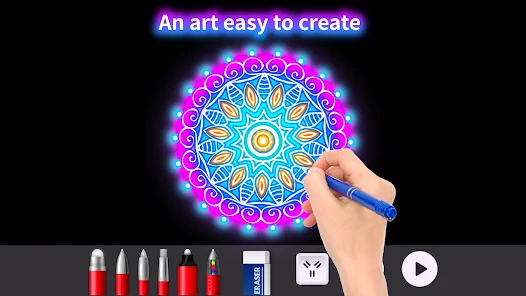
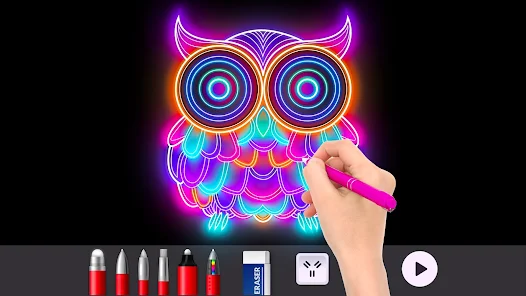
?✨?️??????? As a digital art enthusiast constantly on the lookout for creative outlets, stumbling upon Doodle Master - Glow Art felt like uncovering a hidden gem in a crowded app store. This isn't just another drawing app; it's a vibrant playground for light, color, and imagination. At its core, Doodle Master transforms your device's screen into a dynamic canvas where your fingers become brushes of neon and glow. The primary function is elegantly simple: create stunning luminescent artwork using a variety of glowing brushes, effects, and a mesmerizing dark background that makes every stroke pop. You can sketch, doodle, design mandalas, or just play with light patterns—the possibilities feel wonderfully endless. ?????????What truly sets Doodle Master apart in the vast sea of similar glow-drawing apps is its exceptional balance of simplicity and depth. While other apps might overwhelm with complex layers or underwhelm with overly basic tools, Doodle Master hits the sweet spot. The interface is intuitive, inviting you to start creating within seconds, yet it houses a surprising array of features for those who want to dive deeper. The fluidity of the brush strokes and the real-time glow effects are remarkably smooth, providing instant visual feedback that's incredibly satisfying. I chose this software after testing several alternatives because its performance was consistently snappier, with less lag during intricate drawings, and the visual quality of the final "glow" simply looked more vibrant and authentic on my screen. ?⚡???️✅?My personal journey with the app began as a way to unwind. I'd open it up during short breaks, letting my mind wander as I traced swirling patterns and radiant stars against the infinite black canvas. The act of drawing feels meditative; there's a tactile pleasure in watching luminous lines flow from your fingertips. I found myself experimenting with different brush styles—from soft airbrush glows to sharp, sparkly lines—and layering them to create depth. The app also became a fun social tool; I'd create quick, glowing birthday messages or abstract art to share with friends, which always garnered impressed reactions. The absence of a steep learning curve meant I could achieve visually impressive results immediately, which is a huge motivator to keep creating. Whether you're an experienced artist exploring a new medium or a complete beginner looking for a stress-free creative escape, Doodle Master - Glow Art delivers a uniquely captivating experience. Its magic lies in making everyone feel like a master of light. So, if you're ready to illuminate your creativity and paint with the colors of a neon dream, your next favorite app is waiting. Head to your app store and download Doodle Master - Glow Art today! ???❤️??
Features
- ? Intuitive Glow Canvas: The foundation is a responsive, pitch-black canvas designed specifically to make neon and glow colors shine with maximum intensity. Every brush stroke interacts beautifully with this background, creating a true "drawing with light" sensation.
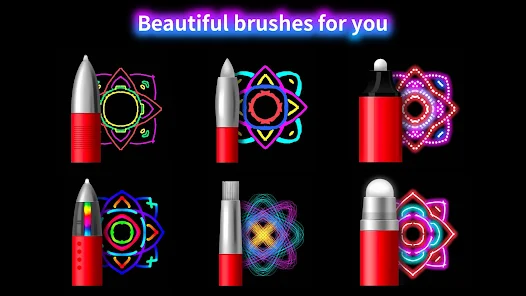
- ? Vast Glowing Brush Library: From thick, soft glow brushes perfect for backgrounds to fine, sparkly tips for detailed work, the variety is impressive. Special effect brushes, like starbursts and fairy lights, add instant magic to any creation.
- ⚙️ Customizable Brush Settings: Dive into settings to adjust brush size, opacity, and glow intensity. This level of control allows for everything from subtle, ethereal wisps to bold, electric lines, tailoring the tool to your exact vision.
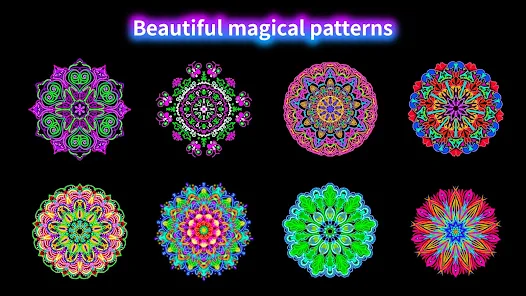
- ? Real-Time Symmetry Tools: Activate symmetry modes—like vertical, horizontal, or radial—to create intricate, perfectly balanced mandalas and patterns with effortless ease. It's a game-changer for geometric and hypnotic art.
- ? Rich, Blendable Color Palette: The color picker offers a full spectrum, with a special emphasis on vibrant, luminous hues. The blending effect when colors overlap is particularly smooth, allowing for beautiful gradients and depth.
- ? Flexible Save & Share Options: Finished your masterpiece? Save it in high quality directly to your device's gallery. The app also provides integrated sharing options to send your glow art directly to social media or messaging apps.
- ? Effortless Editing & Undo: Made a mistake? The multi-level undo/redo function is a lifesaver. Combined with an eraser tool that also glows, editing your work is seamless and non-destructive.
- ? Dynamic Background Effects: Some versions include optional animated or gradient backgrounds behind your main canvas, adding an extra layer of visual dynamism to your final saved image or while you create.
- ? User-Friendly Gesture Controls: Pinch to zoom for detail work, two-finger tap to undo, and other intuitive gestures make the navigation and creation process fluid and natural, keeping you in the creative flow.
- ? No-Fuss, Immediate Start: There's no mandatory login, complex setup, or tedious tutorials. You open the app and you're drawing within seconds, which is perfect for capturing spontaneous creative impulses.
Pros
- ? Visually Stunning Output: The core glow effect is exceptionally well-rendered. Artwork created in the app looks fantastic on-screen and retains its luminous quality when saved, making it perfect for sharing.
- ? Smooth and Responsive Performance: Even when creating complex, detailed pieces with multiple layers of effects, the app remains fluid with minimal lag. This responsiveness makes the drawing experience highly enjoyable and professional.
- ? Incredibly Relaxing and Meditative: The combination of the dark canvas, smooth drawing motion, and beautiful light trails creates a calming, almost zen-like activity. It's a wonderful tool for mindfulness and stress relief.
- ? High "Wow" Factor with Low Effort: Because the glow effect is inherently eye-catching, even simple doodles can look impressive. This provides immense satisfaction and encourages continued use, especially for non-artists.
- ? Great Free Experience: The base app offers a robust set of tools and brushes for free. You can have countless hours of creative fun without ever needing to make a purchase, which is increasingly rare.
- ? Optimized for Mobile Play: Designed perfectly for touchscreens, it leverages the portability of your phone or tablet. It's the ideal creative companion for waiting rooms, travel, or relaxing on the couch.
- ? Universal Appeal: Its simplicity attracts children and casual users, while the depth of customization can satisfy more serious doodlers and digital artists exploring light art. It truly has something for everyone.
- ? Stable and Reliable: In my use, the app has been very stable with no crashes or major bugs. It reliably opens, saves work, and functions as expected every time, which builds trust.
Cons
- ? Aggressive Ad Placement in Free Version: While the app is free, advertisements can be intrusive, often appearing as full-screen videos between drawing sessions or as persistent banners. This can disrupt the immersive, relaxing flow.
- ? Premium Features Behind a Paywall: Some of the most attractive brushes, advanced symmetry modes, and the ability to remove ads are locked behind a one-time purchase or subscription. The line between free and paid content is very noticeable.
- ? Limited Canvas and Layer Control: Compared to full-featured digital art suites, it lacks advanced features like multiple layers for complex compositing, canvas resizing options, or export in professional formats like PSD.
- ? Basic Export Options: While saving to your gallery works well, there are limited options for adjusting export resolution or format. Artists looking to print their work might find the output resolution limiting.
- ? Can Feel Repetitive Over Time: The core mechanic, while fun, is singular. Without broader artistic tools (shapes, text, image import), the creative scope can feel somewhat narrow after extensive use, leading to a search for new challenges.
- ? Minimal Learning Resources In-App: The app assumes intuitive use. For users wanting to learn specific techniques or unlock the full potential of the tools, there's a lack of built-in tutorials, guides, or an inspiration gallery.
- ⚡ Battery Intensive Activity: Creating glow art, with its bright colors and constant screen rendering, can drain your device's battery faster than more passive apps. Longer sessions might require a power source nearby.
- ? No Integrated Audio or Sound Effects: Some creative apps use soothing sounds or satisfying audio feedback for brushes. The silent experience here, while focused, might feel a bit sterile to users who enjoy multi-sensory creation.
-
01How do I install this app after downloading it?
If you're an Android user and don't download the app from the official Google Play Store,you may find the installation process more complicated than usual.
But we are delighted to inform you that you don't need to worry. To ensure you could install this app smoothly,we have written and uploaded a detailed tutorial. It would guide you on installing an app after downloading it from our website step by step,with the help of pictures.
You may find this helpful article on the downloading site,or visit How to install APK/XAPK files on Android.
If you need further help,please do not hesitate to contact us via email info@appfunia.com.
-
02Is this app safe to use?
We fully understand your concern about safety. We agree that one person wouldn't be too careful in the cyber world. Meanwhile,we are happy to tell you that one of our priorities is to provide our users with safe app files that they can use without any worries.
We guarantee that all the app files we provided originate from official and reliable sources. We promise that they do not contain any malware that will harm your hardware or the safety of your privacy.
-
03Is this app free to download?
We are happy to inform you that the answer is an absolute YES! All the apps on our website are 100% free to download. Besides,you do not have to create an account. Just click on the download button,and it's done.
-
04How do I find my account back?
Recently we received a lot of emails from our users,which said they couldn't log in for different reasons,such as 'forgot the user name or password' or 'had a new phone.' We are willing to help you out. Please read the notes below to see what we can do.
To answer this question,please first let us know which account you're referring to.
If you're referring to your account of some app,like your Facebook account or your Youtube account. Unfortunately,we would not be able to help in this case. We would suggest you turn to the customer service of this application.
-
05How do I cancel subscriptions?
This question is essentially quite similar to the prior one. It's a pity that we are unable to help you to cancel the subscription to a third-party application directly,while we would suggest you to contact its customer service for further information.
-
06How do I get a refund?
Sorry that we are unable to help you to get a refund from a third-party application directly. If you wish to get a refund from a third-party app,we would suggest you to contact its customer service. We would be happy to provide you the way to contact them.
If you want a refund from us,we should apologize for your confusion. Our service is 100% free,and any payment information is not required.
If you run into any site that asks you to provide your payment information,be careful. Remember never reveal your payment information to any unauthorized third parties,no matter how attempting their offer may seem.
-
07How to use this app?
Sorry that we cannot answer this question directly,for this only aims to answer some general questions. You may find how to use a certain app by checking our review page.
Recommended Apps

Hot Apps


Disclaimer
1.Appfunia does not represent any developer, nor is it the developer of any App or game.
2.Appfunia provide custom reviews of Apps written by our own reviewers, and detailed information of these Apps, such as developer contacts, ratings and screenshots.
3.All trademarks, registered trademarks, product names and company names or logos appearing on the site are the property of their respective owners.
4.Appfunia abides by the federal Digital Millennium Copyright Act (DMCA) by responding to notices of alleged infringement that complies with the DMCA and other applicable laws.
5.If you are the owner or copyright representative and want to delete your information, please contact us info@appfunia.com.
6 . All the information on this website is strictly observed all the terms and conditions of Google Ads Advertising policiesand Google Unwanted Software policy.